
What a St. Joseph County Docket Shows
A court docket is the running record of events in a case. Some courts call it a register of actions. It lists each hearing, filing, order, and step in date order. The docket tells you when a case was filed, what the judge scheduled, and what happened at each event. It is a timeline, not a stack of papers.
A St. Joseph County docket sits between a bare case index and the full case file. The index confirms that a case exists. The full file holds every motion, exhibit, and signed order. The docket falls in the middle: it names the events and the actions taken on them, but it does not reproduce the documents themselves. That gap matters, because Michigan courts do not post document images online.
Docket style varies by court level. The 3B District Court publishes a case grid and a public calendar, so its docket-style data is easy to reach. The 45th Circuit Court routes case history through a statewide search and posts separate judge dockets. Probate matters are tracked at the court counter rather than in a broad public grid. Because each court keeps its own docket, no single screen shows every St. Joseph County case at once.
How to Search St. Joseph County Dockets
The best local source for docket-style information is the 3B District Court calendar. It lists scheduled events by date and shows the action taken on each one. The calendar is free, needs no login, and covers criminal, traffic, and civil District Court matters. A date picker lets you jump to a hearing day and scan the events set for that date.
The calendar view for the 3B District Court appears at the county district court calendar page, which lays out each scheduled event in a single grid. The screen below shows how those columns line up on the public page.
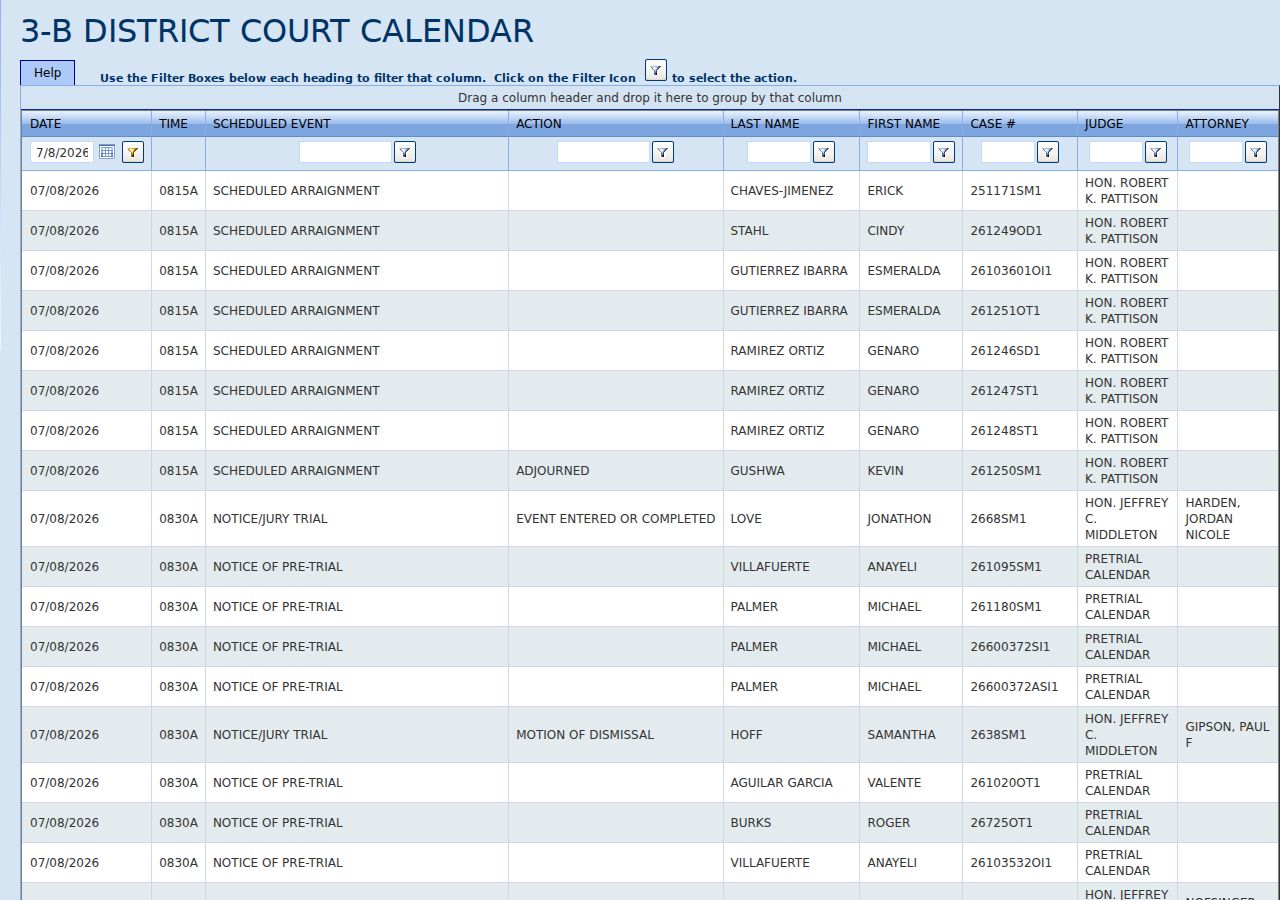
Reading the calendar takes only a few steps once the page loads. Follow the order below to move from a broad date view down to a single event.
- Open the 3B District Court calendar page in a web browser.
- Use the date picker to select the hearing day you want to view.
- Scan the Scheduled Event and Action columns for the case type you are tracking.
- Match the Last Name, First Name, and Case number to confirm you have the right party.
- Note the Judge and Attorney fields, then check the Action column for the outcome of that event.
For a broader index, the county also runs a searchable District Court case grid. It carried hundreds of thousands of rows when inspected and lets users filter under each column heading rather than fill a single search box. The grid confirms a case and its open or closed status, while the calendar adds the hearing dates and actions.
St. Joseph County Calendar Fields
Every row on the 3B District Court calendar carries the same set of fields. Together they turn a single hearing into a readable docket entry. The table below lists each field and what it reports, using the event and action labels observed on the live calendar.
| Field | What It Shows |
|---|---|
| Date | The calendar day the event is set for. |
| Time | The scheduled start time of the hearing. |
| Scheduled Event | The type of hearing, such as Scheduled Arraignment, Prob Violation Arraignment, Notice of Pretrial, Sentence with Presentence, Notice of Sentencing, Last Pretrial Before Jury, or Notice of Arraignment at Jail. |
| Action | The result recorded for the event, such as Arraignment Held, No Action on Event, Motion of Dismissal, Event Entered or Completed, or Adjourned. |
| Last Name | The party surname tied to the case. |
| First Name | The party given name tied to the case. |
| Case # | The compact local case number for the matter. |
| Judge | The judge assigned to the event. |
| Attorney | The attorney of record when one is listed. |
Read across a single row and a full picture forms. You learn who is in court, on what day, for which kind of hearing, and what the court did about it. The Scheduled Event names the step in the case, and the Action tells you whether that step went forward, stalled, or closed. That pairing is the heart of any docket.
Courts That Publish St. Joseph County Dockets
Not every court posts docket data the same way. Some publish a public grid, some route history through a statewide portal, and some keep events at the counter. Knowing which court holds a case points you to the right screen.
- 3B District Court: publishes both a public calendar and a searchable case grid for criminal, traffic, and civil matters up to the District Court limit.
- 45th Circuit Court: routes case history through the statewide MiCOURT search and posts separate judge dockets for public viewing.
- Probate Court: tracks estate, guardianship, and conservatorship events at the court counter in Three Rivers rather than in a broad public grid.
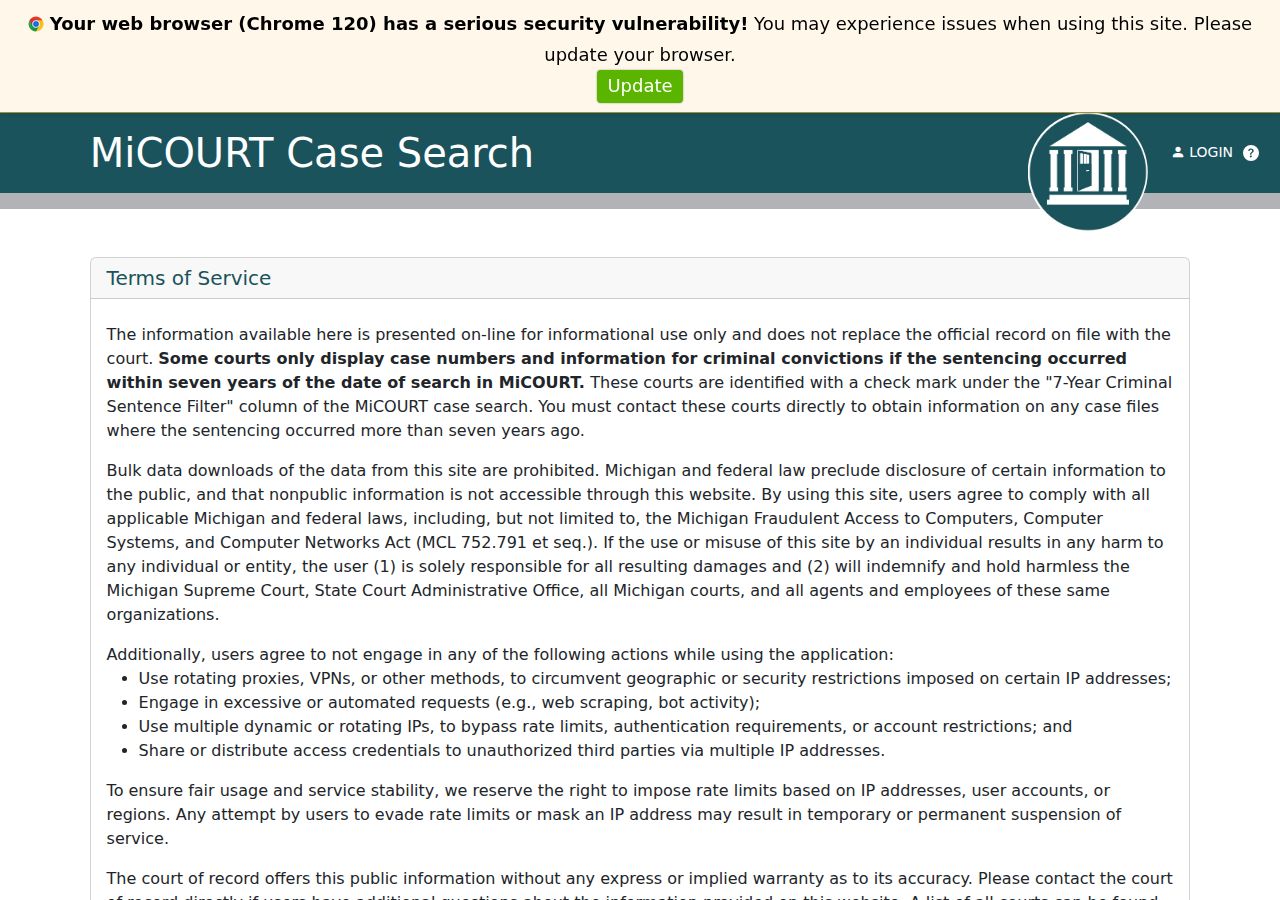
For 45th Circuit Court matters, the statewide search is the starting point. The county links to MiCOURT case search for the 45th Circuit Court, which reports case history for higher-value civil, family, and felony cases after bindover. The county also posts two public docket displays, one for Judge Marietti and one for Judge Kane, reachable from the 45th Circuit Court page.
The MiCOURT screen below shows the statewide case-search entry point that the county uses for Circuit Court history.
One access limit shapes older criminal dockets. A county Clean Slate notice states that online criminal viewing reflects cases from 2017 to the present, and accuracy for earlier cases must be verified manually. The public viewing terminal for criminal cases was also listed as unavailable. For a fuller view of what each court keeps, the 45th Circuit Court pages explain the records that flow into these dockets.
Note: no single online screen lists every St. Joseph County case, so match the court to the case type before you search.
St. Joseph County Docket vs Case File
A docket and a full case file are not the same thing. The docket is the list of events. The case file is the stack of documents behind those events: complaints, motions, exhibits, orders, and judgments. Online docket tools confirm what happened and when, but they stop short of the papers.
| Docket | Full Case File | |
|---|---|---|
| Content | List of events and actions | Complaints, motions, orders, exhibits |
| Access | Online and free for District Court | Court counter, copy request, or in-person review |
| Detail | Dates, event type, action taken | Full document text and signatures |
| Best use | Track case progress and hearings | Legal review, copies, and evidence |
Michigan court rule explains the split. Under MCR 8.119(H), courts do not provide public access to document images through the Internet. Online search confirms a case, a hearing, a status, or a docket event. Copies of pleadings, orders, transcripts, or recordings still call for a formal copy request or a counter visit. To go from a docket entry to the paper file, the St. Joseph County court records request path is the route to certified copies.
Reading a St. Joseph County Docket
Two columns carry most of the meaning on a District Court docket: the Scheduled Event and the Action. The event names the step. The action reports the result. A row set as Scheduled Arraignment with an Action of Arraignment Held means the defendant was arraigned that day. The same event marked Adjourned means the hearing was pushed to a later date.
Other action labels tell their own story. No Action on Event signals that nothing was recorded for that setting. Motion of Dismissal points to a request to end a charge. Event Entered or Completed marks a step that has been logged as done. Reading the event and action together, in date order, lets you follow a case from its first arraignment through pretrial, sentencing, and close.
Case numbers on the District Court grid use a compact local format, with suffixes such as GC, LT, SP, and SI. The county did not publish a full decoding glossary, so treat those suffixes as clues to the case category rather than certainties. Birth year appears on some grid rows in place of a full date of birth, and the public views do not show document images, financial detail, or complete addresses.
Does an online docket entry count as a certified record? No. The calendar and case grid confirm events and status, but they are not certified copies. For a document accepted in another proceeding, request a certified copy from the court that holds the file. The online docket is the fastest way to find the case, and the counter is the way to get the paper.